
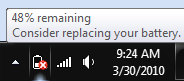
Just recently my laptop battery has started to go downhill pretty rapidly. I have also started to get a notification about needing to replace my battery. I started looking to see if maybe this was an issue with Windows 7 since my battery didn’t seem to be that old. During my search I discovered the “powercfg -energy” command that you can run from the command line in Windows 7. This little utility will run for a given amount of time (default is 60 seconds) and will spit out a report on your Battery. The default location of the report that is generated will be your users folder.
In order to run the utility you will want to open a command prompt as an administrator. Here is the output that I get when I run it.
C:Usersjdavis>powercfg -energy
Enabling tracing for 60 seconds...
Observing system behavior...
Analyzing trace data...
Analysis complete.
Energy efficiency problems were found.
6 Errors
20 Warnings
14 Informational
See C:Usersjdavisenergy-report.html for more details.
You can see the energy-report.html file that was generated. All you have to do is open that file and you will see a lot of information about the different errors and warnings that are being displayed. The one piece of information that I found very useful was at the very bottom of the report. It looked like this.
| Battery ID | 1001SanyoDELL NT3628 |
| Manufacturer | Sanyo |
| Serial Number | 1001 |
| Chemistry | LION |
| Long Term | 1 |
| Design Capacity | 86580 |
| Last Full Charge | 30070 |
Related
