
(Note: In this post I use the terms private and protected interchangeably.)
There are times you may want to have your protected Tweets available on your site. Perhaps protected Tweets are available to your members but not necessarily the world at large. Non-private accounts are easy enough to pull: These feeds are easily accesible using the Rest API.
However, to access protected accounts we must create a Drupal module that authenticates through OAuth. Let’s go through this process step by step.
1) First, in Drupal, create a new Content Type.
Name: Tweet
Type: tweet
Description: This content type pulls our protected tweets from our twitter account.
2) Next, we need to create a twitter app:
a) Go to dev.twitter.com
b) Sign in using the protected twitter account you will be using.
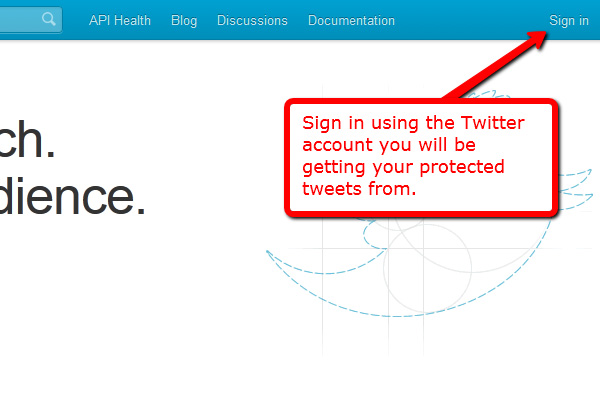
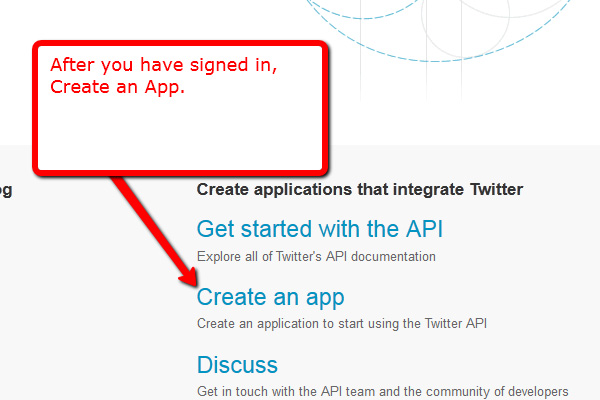
c) Click on Create an app.
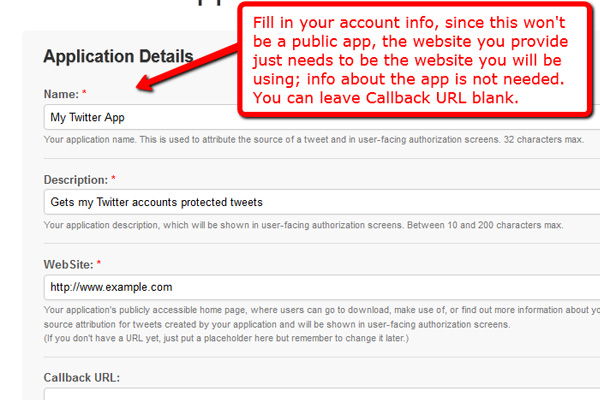
d) Fill in your app info, agree to the TOS, and submit.
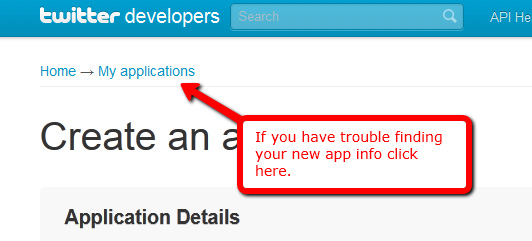
e) Go to the details tab for your newly created app and make note of the highlighted fields below. (Consumer Key, Consumer Secret, Access Token, Access Secret.)
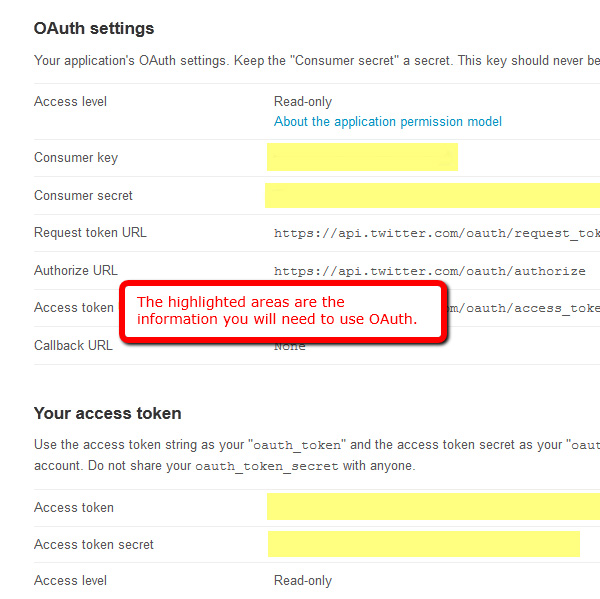
3) Now we need a way to authenticate our app with our soon to be created module. We must use the OAuth method, and we have the option of writing our own OAuth validator, or using the wonderful Twitter with OAuth class which does 99% of the work for us (As of this post the current version is 2.1.2). The rest of this tutorial assumes you have downloaded the class, but if you’re a purist and want to write your own, have at it!
4) Unzip the downloaded file and inside should be a file named ‘twitter.php‘. We will include this file in our module.
5) Now we will create our module. Inside your Drupal’s modules folder, create a new folder called ‘twitter_private‘.
6) Inside this new folder create two files: ‘twitter_private.info‘ and ‘twitter_private.module‘ files.
7) Make sure to drop the ‘twitter.php‘ file into the ‘twitter_private‘ folder as well. You should now have three files in the folder.
8) Your info file should look something like this:
; $Id$
name = Private Twitter App
description = Retrieves @myaccount tweets for inclusion in site.
core = 6.x
9) Your module file should look something like this (Replace all ALL-CAPS variables with your info):
// We're creating a cron hook that will check the tweets.
// This will check everytime you have a cron job set to run.function twitter_pivate_cron(){
// require the twitter class
require_once 'twitter.php';
// create instance MAKE SURE to replace the Consumer key
// and Consumer Secret with your settings
$twitter = new Twitter('CONSUMER_KEY', 'CONSUMER_SECRET');
// set tokens MAKE SURE to replace token and secret with your settings
$twitter->setOAuthToken('ACCESS_TOKEN');
$twitter->setOAuthTokenSecret('ACCESS_SECRET');
// get users timeline, $count being the number of tweets to retrieve
// MAKE SURE to replace the screenName with your Twitter account name
//(do not include @ symbol)
$response = $twitter->statusesUserTimeline($userId = null,
$screenName = 'YOUR_TWITTER_ACCOUNT_NAME',
$sinceId = null,
$maxId = null,
$count = 10,
$page = null,
$trimUser = false,
$includeRts = false,
$includeEntities = false);
// Retrieve the 10 most recent tweets in the node table
// and place in title array
$q = db_query("SELECT title FROM node WHERE type='tweet'
ORDER BY nid DESC LIMIT 10");
while($r = mysql_fetch_assoc($q)){
$title[] = $r['title'];
}
// search 10 most recent tweets on twitter and if it doesn't exist in node table, insert
foreach($response as $r){
foreach($r as $k=>$v){
if($k == 'text'){
if(!in_array($v, $title)){
$node = new stdClass();
$node->title = "$v";
$node->type = 'tweet';
$node->created = time();
$node->changed = $node->created;
node_save($node);
}
}
}
}
}
10) Now activate the module in your Drupal admin panel, run the cron manually to get started, and you are all set. Just figure out how you would like to use the tweet content type (you can create a new block, or have it feed into a page, or whatever you’d like)
